
Migration
프로퍼티를 수정하거나 추가 및 삭제를 수행하게 되면 새 버전을 출시할 때 마이그레이션 과정을 거쳐야 한다.
SwiftData는 이러한 마이그레이션 과정을 간단하게 처리할 수 있는 도구를 제공한다.
마이그레이션 과정
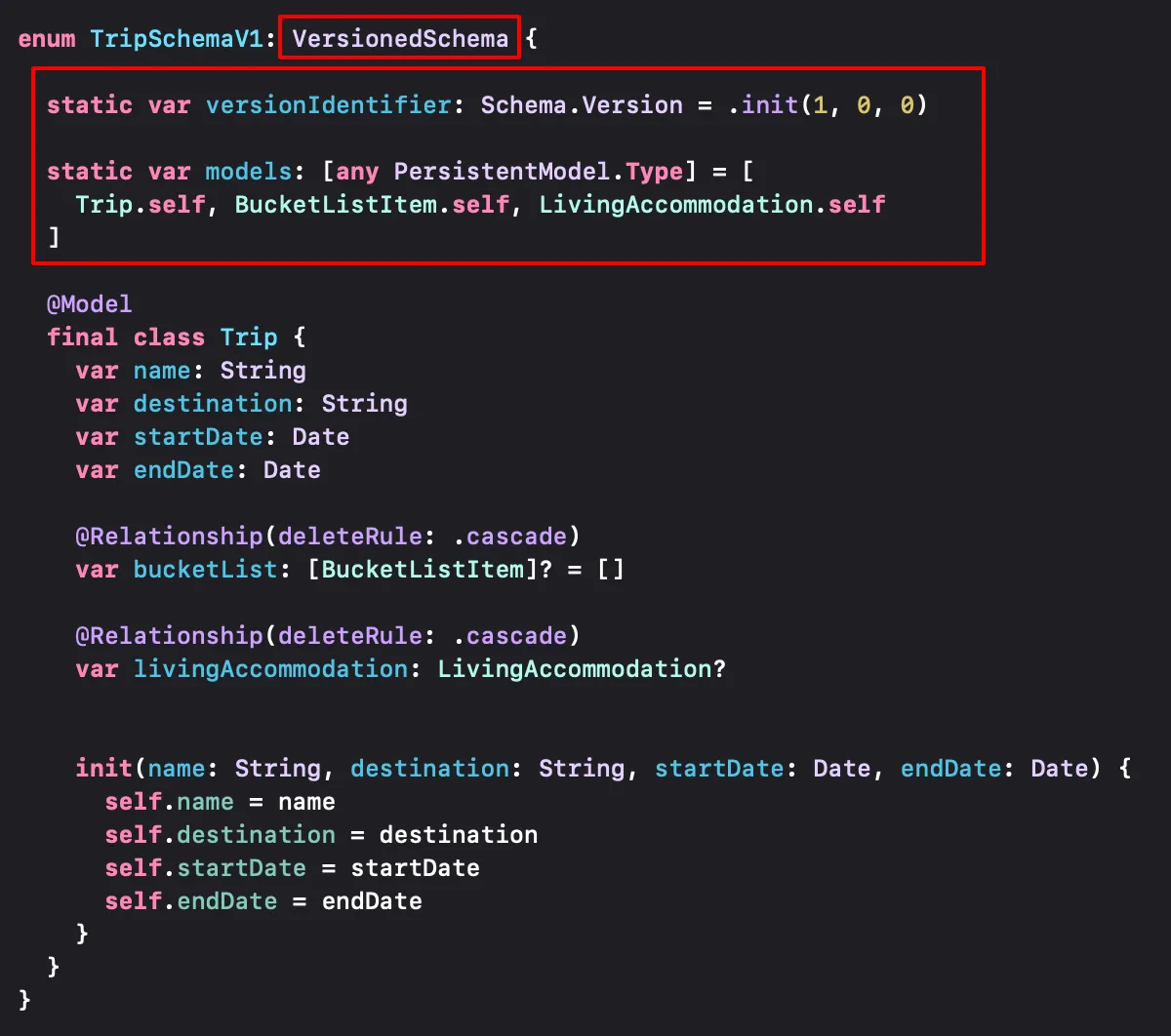
1️⃣ VersionSchema를 통해 모델 캡슐화
- SwiftData 모델이 변경된 앱의 새 버전을 출시할 때 마다 새로운
VersionedSchema를 정의한다.
enum TripSchemaV1: VersionedSchema {
    static var versionIdentifier: Schema.Version
    static var models: [any PersistentModel.Type]
}VersionedSchema는 각 버전의 스키마를 캡슐화 한다.- 각 버전이
VersionedSchema로 정의되어야 버전 사이에 어떤 변화가 있었는지 알 수 있다. versionIdentifier로 해당 버전 정보를 설정하고,models에 현재 버전에 포함된 모델을 설정한다.- 열거형 내부에 해당 버전의 스키마를 포함한다.
2️⃣ SchemaMigraionPlan 생성
SchemaMigrationPlan을 통해 마이그레이션 과정을 정의한다.- SwiftData가 필요한 마이그레이션을 순서대로 수행하게 된다.
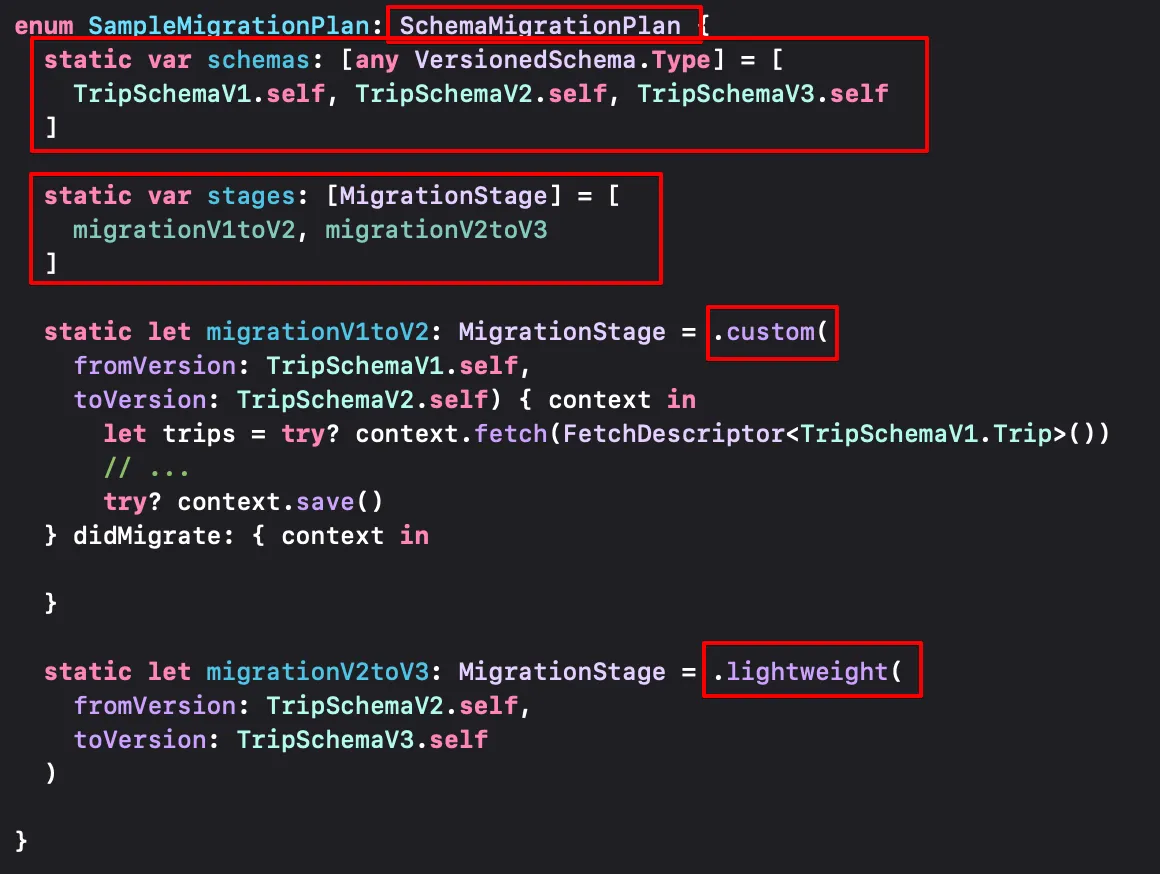
schemas로 포함되어야 하는 모델을 정의한다.stages를 통해 두 버전 사이에 변경 사항을 처리한다.- Migration Stage
- Lightweight
- 특정 프로퍼티에
originalName을 추가하거나 관계에서 삭제규칙을 지정하는 등의 가벼운 변경에 적합
- 특정 프로퍼티에
- Custom
- 프로퍼티에 고유성 제약을 추가하는 등의 변경
- Lightweight
3️⃣ ModelContainer 의 migrationPlan 매개변수에 마이그레이션 작업을 설정하면 완료된다.
let container = try? ModelContainer(for: Trip.self, migrationPlan: SampleMigrationPlan.self)
참고
https://developer.apple.com/videos/play/wwdc2023/10195
Model your schema with SwiftData - WWDC23 - Videos - Apple Developer
Learn how to use schema macros and migration plans with SwiftData to build more complex features for your app. We'll show you how to...
developer.apple.com
'iOS > WWDC' 카테고리의 다른 글
| [iOS/WWDC23] SwiftData에 대해 알아보자 (0) | 2025.02.20 |
|---|---|
| [iOS/WWDC23] viewIsAppearing() 알아보기 (1) | 2024.03.24 |